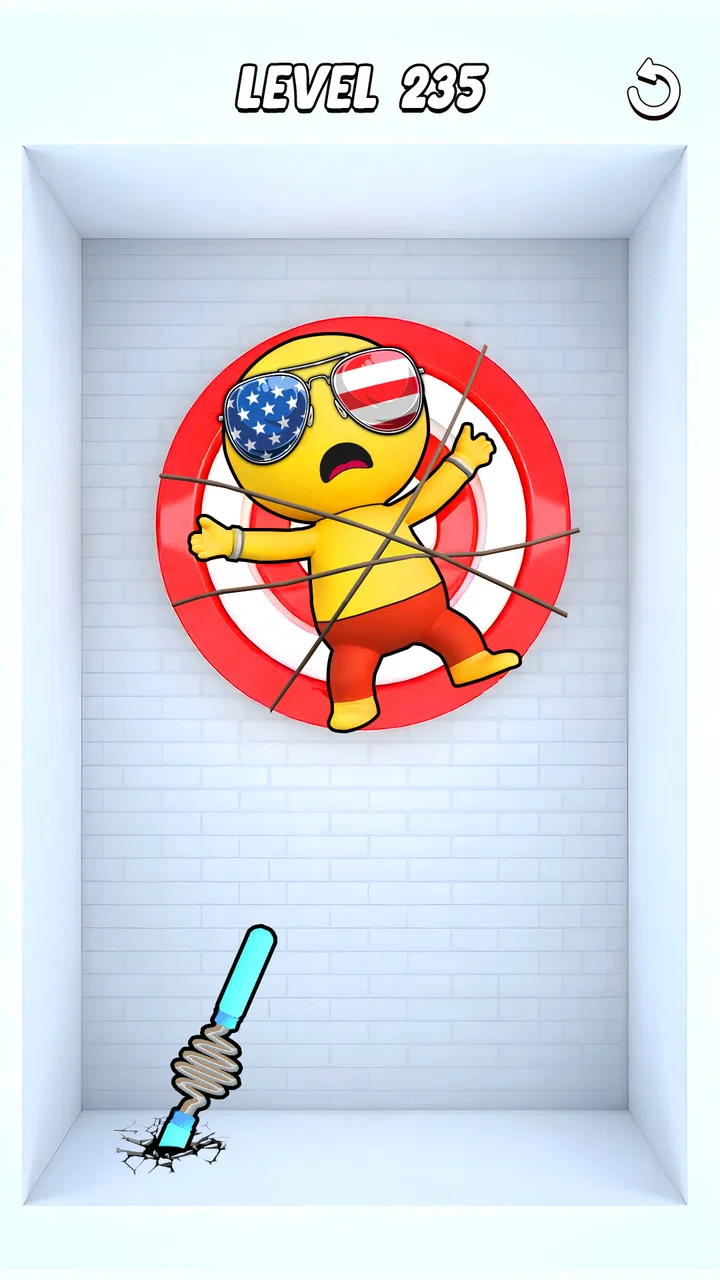
Spring Spear: Aim & Snap
- 4.7
- Rating
- 10.00M
- Installs
- Free
- Price

 Analysis by App-foxy
I spent time with Spring Spear: Aim & Snap as a quick action game built around a simple idea: line up a spring-powered spear, release it, and avoid whatever gets in the way. That sounds immediately understandable, and the game does benefit from being easy to grasp. I could start playing without learning a complicated control scheme or studying a long explanation first.
What makes the experience worth discussing is not just whether the aim mechanic is entertaining. It is how comfortably that mechanic works for different players and in different situations. A game that asks for timing, visual attention, and repeated taps can feel very different depending on the phone, the player’s hands, the surrounding noise, and how much time they have. My overall impression is that this is a focused pick-up-and-play title, but its simplicity does not remove every access barrier.
How the game communicates its challenge
The core loop is readable from the beginning. I look at the path, judge when to launch the spear, and try to avoid obstacles. That direct relationship between what I see and what I do is one of the strongest parts of the design. There is no need to remember a large set of commands, switch between many menus, or manage a complicated character build before enjoying the action.
You May Also Like

 Blood Strike: 2.5 Anniversary
Blood Strike’s Loadouts Turn Every Drop Into a Tactical Gamble
A close look at Blood Strike’s custom loadouts: how fast access to signature weapons reshapes its battle royale rhythm, rewards preparation, and narrows the gap between fights.

 Pandora - Music & Podcasts
Pandora’s Music Is Easy to Start, but Harder to Recover
Pandora’s strength is its low-effort path from a seed to a station. Its weak spot is how much confidence it asks you to place in connection, setup, and quiet recovery.

 8 Ball Pool
 Is Built on Rivalries, Rematches, and Routine
A close look at the rivalries, rematches, shared routines, and unanswered safety questions that turn a quick pool match into a persistent mobile community.

 Samsung Music
’s Quiet Strength Is Playing What You Already Own
Its reach comes less from spectacle than from dependable access to a personal library. That simplicity is both the app’s strongest retention engine and its ceiling.

 AccuWeather: Weather Radar
AccuWeather Review: A Quick, Clear Forecast for Everyday Decisions
For everyday plans, the best forecast is the one you can understand quickly. AccuWeather makes rain timing, radar, and local conditions easy to act on, with a few trade-offs.

 Hill Climb Racing
Why Hill Climb Racing Still Turns Crashes Into One More Run
A tiny car, a bumpy hill and one more upgrade: Hill Climb Racing keeps resurfacing because its simple chaos makes every near-miss feel personal.
More From Our News Desk



That clarity matters for anyone who prefers games with a small mental load. If I only have a few minutes while waiting for an appointment, I can understand the immediate goal quickly. The store summary describes it as an aim game, and that is a fair description without needing to stretch the concept into something more elaborate. It is best approached as a compact reflex and precision challenge rather than a deep action adventure.
The visual focus is also fairly obvious: the spear, its launch direction, and the obstacles competing for my attention. In practice, that means the game’s readability depends heavily on how clearly those elements stand out on a particular screen. A larger, brighter display may make judging space easier than a small phone with dim settings or strong reflections. That is not a flaw unique to this title, but it is especially relevant here because the whole experience depends on seeing a safe route at the right moment.
I found the straightforward structure more welcoming than games that bury their main action under upgrade screens, inventories, or several layers of prompts. For a first-time player, the basic question is always visible: where should the spear go, and when should I send it? That makes the game approachable for people who are comfortable with visual cues but do not want a dense interface.
At the same time, a simple interface should not be confused with universal readability. A player with reduced contrast sensitivity, limited vision, or difficulty separating moving objects from backgrounds may need more time to interpret each scene. The game’s appeal comes from fast visual decisions, so anyone who needs stronger contrast, larger targets, or a slower pace may find the central challenge tiring rather than exciting.
Navigation that stays out of the way
One benefit of this kind of compact action game is that navigation does not appear to compete with the action itself. I am not constantly moving through a large map or searching for a hidden control. The experience is centered on the next launch, which keeps the number of decisions manageable. That is useful for players who become frustrated when game menus demand as much attention as the gameplay.
I would still recommend taking a moment to identify the important touch areas before settling into a rhythm. In a timing-based game, a misplaced tap can feel like a gameplay mistake even when the real problem is simply touching too close to another control. Keeping the phone securely in one hand or resting it on a surface can make the interaction more consistent, especially during longer sessions.
The current version is 1.1.2, and the game is available on devices running Android 7.0 or later. It is free to start, while in-app purchases cost $4.99 per item. That combination makes trying it low-risk, but players who are sensitive to purchase prompts should pay attention during the first sessions and avoid treating optional spending as part of the basic skill loop.
What the aiming mechanic asks from the player
The most important accessibility question is physical: how comfortable is it to repeat the same kind of touch action? Spring Spear is built around aiming and snapping into action, so the player needs to make deliberate screen interactions again and again. Someone with steady finger control may find this satisfying, while someone with tremors, joint pain, reduced reach, or fatigue may experience the same mechanic as demanding.
A useful personal adjustment is to change the way I hold the phone rather than immediately blaming my timing. When I play one-handed, my thumb can cover part of the scene and make precise aiming harder. Holding the device with both hands, or placing it on a table and using one finger, gives me a clearer view and reduces accidental movement. This is a small change, but it can make the difference between a fair challenge and a frustrating session.
The game also favors players who can react to visual information quickly. That does not mean every player needs lightning-fast reflexes; careful observation and learning the rhythm can help. Still, anyone who needs more time to process motion may find that the game’s obstacle avoidance becomes stressful. It would be a better fit for that player if the available challenge feels adjustable, but I would not choose it as the first recommendation for someone specifically seeking a slow, low-pressure action experience.
Touchscreen play can also be affected by sensory conditions. Bright lighting, glare, fingerprints, or a busy background can make small visual differences harder to notice. I had a better experience when the screen was clean and the phone was held at a comfortable angle. These are ordinary habits, yet they matter more in a game where a short visual delay can change the result.
Sound can influence how engaging the game feels, but I would not make audio the main reason to choose it. If I am playing in a quiet room, I can concentrate on the visual action. In a noisy environment, I prefer to rely on what is happening on screen rather than expecting sound to carry the experience. That makes the game more practical for public places, provided the player can see the display clearly.
Playing in real everyday situations
The best use case for Spring Spear is a short break when I want a small, self-contained challenge. I can imagine playing it during a commute while seated, during a coffee break, or while waiting for someone, because the premise is easy to resume and does not require remembering a long story. It suits players who enjoy testing their precision in brief bursts rather than committing to a lengthy session.
There is an important distinction between being easy to start and being easy to play anywhere. On a moving bus, the phone may shake at exactly the wrong moment. In bright outdoor light, the screen may be harder to read. While standing, one-handed play may be less stable. These situations do not make the game unusable, but they reduce the control and visual comfort that the aiming mechanic needs.
For that reason, I would play it seated whenever possible, with the phone supported rather than loosely balanced in one hand. This is particularly helpful for players who have limited grip strength or who find repeated hand movements tiring. A stable setup also helps separate genuine mistakes from accidental screen movement, which makes the challenge feel more honest.
The Teen content rating is another reason I would think about the intended audience rather than handing it to every child automatically. The game is an action title centered on launching spears and avoiding obstacles, so parents should use their own judgment about whether that theme and the purchase system suit a younger player. The rating does not tell me how every family should decide, but it does make this more naturally aimed at teens and older players.
Because it is free to download, the game is convenient for trying on a spare device or sharing as a casual recommendation. The trade-off is that free-to-start games can encourage players to consider purchases during play. I would suggest deciding in advance whether the basic version is enough for you. If the answer is yes, there is no reason to let the $4.99 price of an individual item become part of the entertainment decision.
Where it compares well, and where another game may suit you better
Compared with larger action games, this one is much less demanding in terms of learning and preparation. There is no need to memorize a broad control system or follow a long campaign before reaching the central activity. That makes it a good alternative for someone who wants a focused test of aim and timing without the commitment of a full-scale action game.
Compared with endless runners, the appeal is different. A runner usually emphasizes continuous movement and rapid lane or jump decisions, while Spring Spear puts more attention on the moment of launch and the path ahead. If you enjoy pausing mentally to judge a shot, that difference may be refreshing. If you prefer constant forward motion with minimal aiming, a runner may feel more natural.
It is also less suitable than a turn-based puzzle game for players who need generous thinking time. A puzzle title usually lets me inspect the board without the same pressure to act immediately. Here, the fun comes from making a visual judgment and committing to it. That creates a stronger action feeling, but it also means the game may not be comfortable for someone who wants complete control over the pace.
For players who value accessibility options above all else, I would be cautious about making this the first choice. The core mechanic itself is the source of both the fun and the friction: it relies on visual targeting and repeated touch input. A game with adjustable speed, alternative controls, high-contrast presentation, or explicit assist modes would likely be a better match for someone who needs those accommodations. I would not assume that a clean-looking interface automatically provides them.
Practical ways to make sessions more comfortable
My first tip is to treat positioning as part of the setup. Rest the phone on a stable surface, keep the display free of glare, and use both hands if one-handed aiming causes your thumb to obscure the action. This is especially useful when the obstacle pattern becomes visually busy or when repeated taps start to make the hand tense.
My second tip is to use short sessions instead of forcing a long run. The game’s small central idea works well in bursts, and stopping before hand fatigue builds can preserve the precision that makes it enjoyable. This is a better approach for players with limited stamina than trying to prove consistency through an extended sitting.
My third tip is to separate visual difficulty from motor difficulty. If I am missing because I cannot see the route clearly, changing the room lighting or phone angle may help. If I can see the correct launch but cannot perform the tap comfortably, changing grip and support is more relevant. Identifying the actual barrier prevents wasted effort and gives a clearer answer about whether the game fits me.
My fourth tip is to decide how I feel about optional spending before playing regularly. The free entry point is convenient, and the game can be enjoyed as a casual download, but purchase prompts can change how relaxed the experience feels for some people. Players sharing the device with a teen should also consider using the phone’s normal purchase protections rather than relying on impulse control during a game session.
A fair choice for focused action, with clear limits
FlickFun Studio has made a game that communicates its basic idea quickly. I like that the action is easy to understand and that the experience can fit into a short break. The 4.8 average from around fifteen thousand ratings and more than a million installs suggest that the straightforward format has found a substantial audience, though popularity does not remove the practical questions about comfort and access.
For me, the strongest quality is the clean relationship between sight and action: identify the opening, aim the spring spear, and try to avoid the obstacle. That makes it a friendly recommendation for players who enjoy visual precision, quick attempts, and uncomplicated action. It is also a reasonable option for someone who wants to test a free game before spending anything.
The limitations are just as important. Players with low vision, slower visual processing, hand fatigue, tremors, or difficulty with repeated touchscreen gestures may need to work around the game rather than expect it to work around them. A stable phone position and good lighting can help, but those adjustments do not replace dedicated accessibility tools. Anyone looking for a calm pace or broad control customization should consider a different category of game.
My inclusive verdict is therefore positive but specific: Spring Spear: Aim & Snap is most comfortable for players who can see moving targets clearly and enjoy repeated, precise touch actions. It supports casual play in quiet, seated situations better than shaky or glare-filled environments, and its simple structure reduces cognitive clutter. I would recommend trying it free, using a supported grip, and judging the experience by physical comfort as much as by score. For the right player, it is a neat little action challenge; for anyone needing flexible pacing or alternative input, another game will likely be the kinder choice.
FAQs for Spring Spear: Aim & Snap
01What is the main objective of Spring Spear: Aim & Snap?
Spring Spear: Aim & Snap is a strategy-based game where players aim to launch spears at targets with precision. The goal is to master the art of aiming and timing to achieve the highest scores and unlock new levels. It combines elements of skill and strategy to create a unique gaming experience.
02Is Spring Spear: Aim & Snap free to play?
Yes, Spring Spear: Aim & Snap is free to download and play. However, it may offer in-app purchases for players who wish to enhance their gameplay experience by unlocking additional features, levels, or customizations more quickly.
03What devices are compatible with Spring Spear: Aim & Snap?
Spring Spear: Aim & Snap is available for both Android and iOS devices. It requires a minimum of Android 5.0 or iOS 10.0 for optimal performance. Ensure your device meets these requirements to enjoy smooth gameplay without interruptions.
04Are there any multiplayer features in Spring Spear: Aim & Snap?
Currently, Spring Spear: Aim & Snap focuses on single-player gameplay. However, it includes leaderboards where players can compete against friends and global players to achieve the highest scores and rankings. This adds a competitive edge to the game.
05How can I improve my skills in Spring Spear: Aim & Snap?
To improve your skills in Spring Spear: Aim & Snap, practice regularly to master aiming and timing. Pay attention to the trajectory and speed of the spear to hit targets accurately. You can also watch tutorial videos or participate in community forums for tips and strategies.
Pros
- Intuitive controls make aiming easy.
- Vibrant graphics enhance gameplay experience.
- Quick matches are perfect for short breaks.
- Engaging sound effects add to the fun.
- Regular updates keep the game fresh.
Cons
- Limited levels might feel repetitive.
- In-app purchases can be costly.
- Advertisements can interrupt gameplay.
- Requires internet for full features.
- Some users report occasional lag.

Spring Spear: Aim & Snap
Gallery